Between lectures, readings, assignments, and exams, students are drowning in content. There's more to absorb than ever — and traditional study methods aren't keeping up.
AI study tools in 2026 go far beyond grammar checkers. You can turn a textbook into a listenable podcast, transcribe lectures in real time, generate flashcards from your notes automatically, and get AI summaries of dense papers — all before dinner. This guide covers the best AI study tools organized by category, so you can build a workflow that saves hours every week.
Why AI Study Tools Work
Research consistently shows the most effective study strategies are spaced repetition, active recall, multi-format review, and teaching concepts back. AI tools accelerate all of these:
| Study Method | Why It Works | AI Tool That Helps |
|---|---|---|
| 🔄 Spaced repetition | Distributes learning over time | Anki, Quizlet |
| 🧠 Active recall | Forces retrieval, strengthens memory | Quizlet, Anki |
| 🎧 Multi-format review | Reinforces through different channels | TurboCast (text → audio) |
| 🌍 Native language study | Deeper processing in familiar language | TurboCast (30+ languages) |
| 📝 Summarization | Distills key ideas, aids comprehension | NotebookLM, QuillBot, TurboCast |
| 🗣️ Teaching back | Explaining forces understanding | TurboCast (Teacher style) |
💡 The key is choosing tools that complement your learning — not replace it.
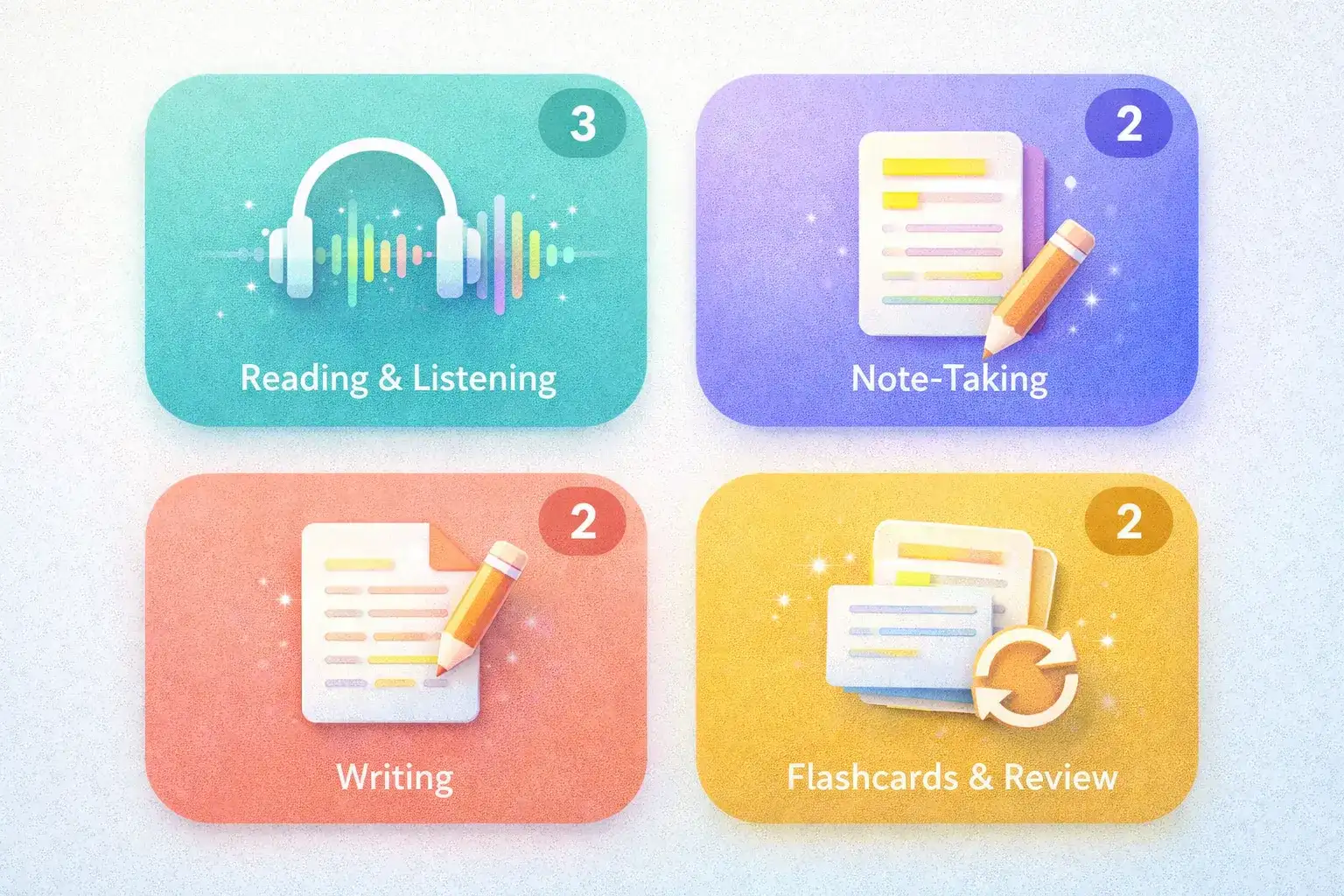
Best Tools for Reading & Listening
These tools transform dense written content into formats you can actually engage with.
TurboCast — Turn Textbooks and Papers into AI Podcasts
| Category | 🎧 Reading & Listening |
| Type | 🧠 AI Podcast Generator |
| Price | Free tier; from $15/month |
| Languages | 30+ |
If you've ever wished you could "listen" to a research paper on your commute, TurboCast is exactly that. Upload any PDF — textbook chapter, lecture slides, research paper — and get a podcast-style audio explanation. Not robotic TTS, but an AI host that understands the content, restructures it, and explains it in plain language.
Why students love it:
- 📄 Works with PDFs, audio files via PDF to podcast
- 🌍 30+ languages — study in your native language even with English materials
- 🎙️ 4 styles: Podcast, Teacher, Summary, Storyteller
- 📝 Smart Notes with chapter breakdowns alongside audio
- 📡 Private RSS feed — study materials appear in Apple Podcasts or Spotify
- ⏱️ Length control: 3, 5, or 10 minutes
Best for: Commuters, students studying in a second language, anyone with long reading lists.
NotebookLM — Google's AI Research Notebook
| Category | 🎧 Reading & Listening |
| Type | 🧠 AI Notebook + Audio |
| Price | Free |
| Languages | English only |
Google's AI notebook lets you upload sources, ask questions, and generate a two-host "audio overview" discussion. Engaging format, deep Google Docs integration.
Limitations: ~3 audio overviews/day, English only, no style/length control, no MP3 download, no script editing.
Best for: Students in the Google ecosystem wanting a free, lightweight AI notebook.
Speechify — Read Any PDF Aloud
| Category | 🎧 Reading & Listening |
| Type | 🔊 Text-to-Speech Reader |
| Price | Free tier; $139/year |
| Languages | 30+ |
Speechify reads PDFs, articles, and ebooks aloud with high-quality AI voices. Word-by-word highlighting, excellent speed controls (up to 4.5x), polished mobile app.
Limitation: Reads verbatim — no summarization, no content restructuring. Less useful for complex academic content.
Best for: Students with dyslexia or reading difficulties, accessibility use cases.
Best Tools for Note-Taking
Good notes are the foundation of good studying. These AI tools make note-taking faster and more useful.
Notion AI — Smart Notes and Summaries
| Category | 📝 Note-Taking |
| Type | AI-Enhanced Workspace |
| Price | Free tier; AI from $10/month |
| Languages | Multiple |
Notion AI integrates directly into Notion's workspace — summarize pages, generate action items, rewrite notes in clearer language, ask questions about your content. Seamless if you already use Notion for organization.
Best for: Students using Notion who want AI built into their existing workflow.
Otter.ai — Lecture Recording and Transcription
| Category | 📝 Note-Taking |
| Type | Real-Time Transcription |
| Price | Free tier; from $17/month |
| Languages | English (primary) |
Otter.ai transcribes lectures in real time. Open the app, hit record, and get a searchable transcript with speaker labels as the lecture happens. Integrates with Zoom and Google Meet.
Limitations: Accuracy drops with heavy accents or fast speech; free tier has monthly limits.
Best for: Capturing lectures word-for-word, or transcribing recordings. Also try TurboCast's AI transcriber for pre-recorded audio.
Best Tools for Writing
Whether it's essays, lab reports, or research summaries — write more clearly and efficiently.
Grammarly — AI Writing Assistant
| Category | ✏️ Writing |
| Type | Grammar + Clarity Checker |
| Price | Free tier; Premium from $12/month |
| Languages | English (primary) |
Goes beyond spell-checking — AI suggestions for tone, clarity, sentence structure, and audience. Built-in plagiarism checker. Browser extension works everywhere.
Best for: Any student writing essays, reports, or emails.
QuillBot — Paraphrasing and Summarizing
| Category | ✏️ Writing |
| Type | Paraphraser + Summarizer |
| Price | Free tier; from $10/month |
| Languages | Multiple |
Two core tasks: paraphrasing (rewording while preserving meaning) and summarizing long texts into key points. The summarizer is especially useful for condensing research papers before deciding whether to read them fully.
Best for: Synthesizing multiple sources, quick paper screening.
Best Tools for Flashcards & Review
Spaced repetition is one of the most evidence-backed study methods. These tools remove the friction.
Anki with AI Plugins — Gold Standard Spaced Repetition
| Category | 🔁 Flashcards & Review |
| Type | Spaced Repetition System |
| Price | Free (desktop); $25 iOS app |
| Languages | Any |
Anki is the gold standard. On its own, creating cards is manual. With AI plugins (AnkiConnect + GPT-based generators), paste your notes and auto-generate high-quality Q&A pairs.
Best for: Exams with lots of factual content — medicine, law, language learning, history.
Quizlet — AI-Generated Flashcards
| Category | 🔁 Flashcards & Review |
| Type | AI Flashcard Generator |
| Price | Free tier; from $8/month |
| Languages | Multiple |
Paste notes or upload a document → auto-generate a full flashcard set. "Learn" mode adapts to your performance using spaced repetition logic. Quick, browser-based, no setup overhead.
Best for: Students wanting fast flashcard generation without Anki's learning curve.
Tool Comparison Table
| Tool | Category | Free | Price | AI Understanding | Languages | Best For |
|---|---|---|---|---|---|---|
| TurboCast | 🎧 Audio | ✅ | $15/mo | ✅ Deep | 30+ | PDF/lecture → podcast |
| NotebookLM | 🎧 Audio | ✅ | Free | ✅ Partial | English | Q&A + audio overview |
| Speechify | 🎧 Audio | ✅ | $139/yr | ❌ TTS | 30+ | Word-by-word reading |
| Notion AI | 📝 Notes | ✅ | $10/mo | ✅ | Multiple | Smart notes/summaries |
| Otter.ai | 📝 Notes | ✅ | $17/mo | ✅ | English | Lecture transcription |
| Grammarly | ✏️ Writing | ✅ | $12/mo | ✅ | English | Grammar + clarity |
| QuillBot | ✏️ Writing | ✅ | $10/mo | ✅ | Multiple | Paraphrasing + summaries |
| Anki | 🔁 Review | ✅ | Free | With plugins | Any | Spaced repetition |
| Quizlet | 🔁 Review | ✅ | $8/mo | ✅ | Multiple | Auto flashcards |
How TurboCast Specifically Helps Students
Among all tools listed, TurboCast has the most direct application to the core student problem: too much to read, not enough time.
Convert Lecture PDFs into Podcast Reviews
After a lecture, upload the slide deck or PDF to TurboCast. In minutes, you have an audio summary to listen to while cooking or walking between classes.
Listen to Textbook Chapters on Your Commute
Generate an audio explanation on Sunday evening, listen on your Monday commute. Arrive at class having already done the reading — in audio form.
Get AI Smart Notes from Complex Papers
TurboCast generates structured notes alongside audio — summary, key points, chapter breakdowns. Use these as a study guide before diving into the full paper.
Study in Your Native Language
Course materials in English but you think faster in Spanish, French, Japanese? TurboCast generates explanations in 30+ languages — a genuine game-changer for international students.
Build a Personal Study Podcast Feed
Private RSS feed of all converted content. Add to Apple Podcasts or Spotify — your study materials live alongside your regular podcasts. Review biology chapters the same way you'd listen to a true crime episode.
A Student Study Workflow with AI
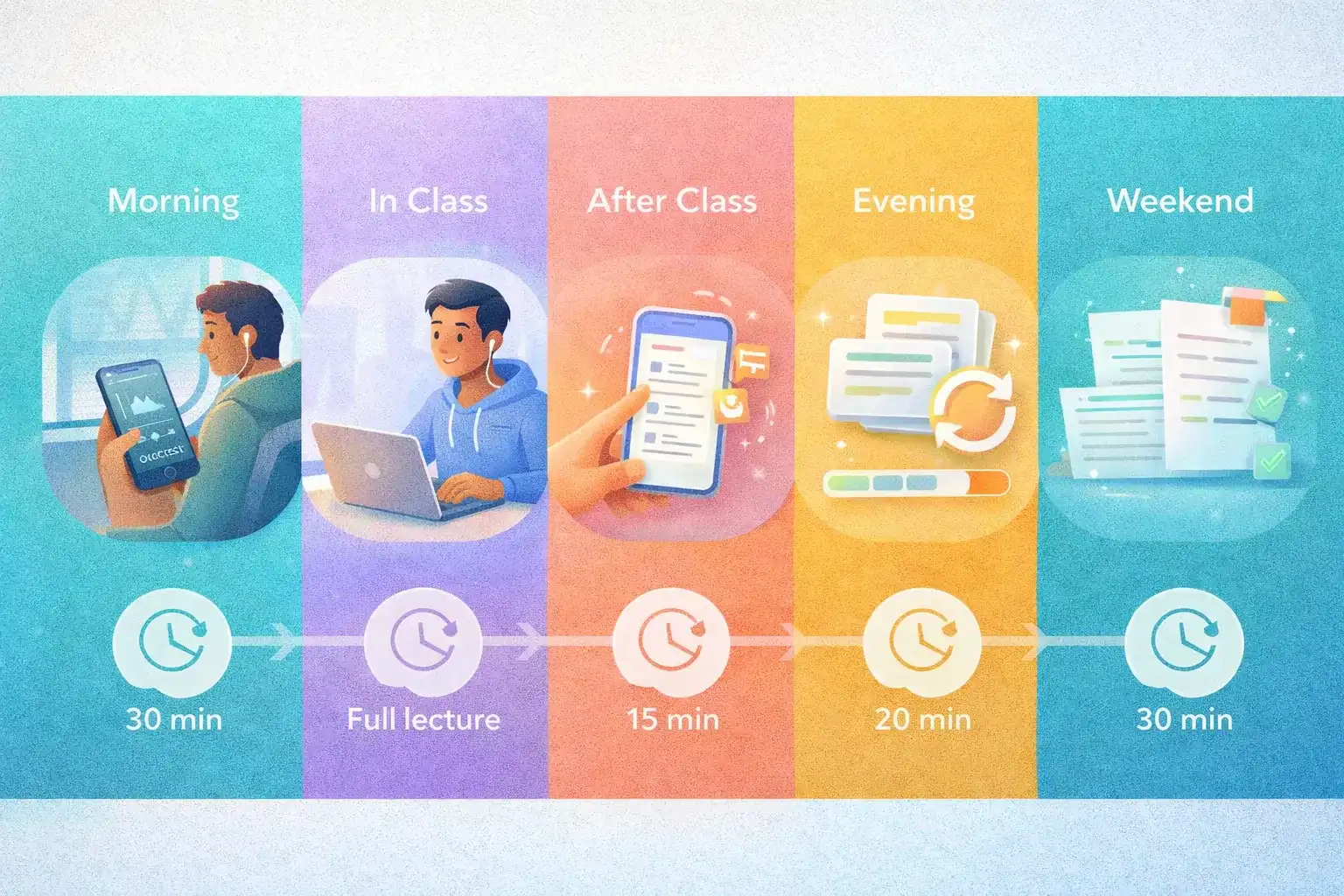
Here's a practical daily workflow combining several tools:
| Time | Activity | Tool | Duration |
|---|---|---|---|
| 🌅 Morning commute | Listen to lecture podcast or assigned reading | TurboCast | 30 min |
| 🏫 In class | Record and transcribe lecture in real time | Otter.ai | Full lecture |
| 📝 After class | Review highlights, generate summary or flashcards | QuillBot + Quizlet | 15 min |
| 🌙 Evening | Spaced repetition practice with day's content | Anki | 20–30 min |
| 📅 Weekend | Batch convert next week's PDFs to audio | TurboCast | 30 min |
💡 This workflow means you engage with each piece of content multiple times in multiple formats — exactly what research says works best for retention.
Tips for Studying with AI
Don't Skip Primary Engagement
AI summaries and podcasts are excellent for first-pass understanding and review. They're not a substitute for doing problem sets, writing papers, or engaging critically with the material.
Review AI Output Critically
AI-generated notes and summaries can occasionally miss nuance or misrepresent technical detail. Always cross-check against the source before putting something in your exam notes.
Use Audio for Passive Review
Listening to a TurboCast podcast while commuting reinforces knowledge you've already touched. It's less effective as your first and only exposure to brand-new material.
Experiment with Styles
TurboCast offers Podcast, Teacher, Summary, and Storyteller styles. Technical content often benefits from Teacher style; narrative history works well as Storyteller. Try a few to find what clicks.
Frequently Asked Questions
Can I use TurboCast with any PDF, or just YouTube videos?
TurboCast works with uploaded PDFs, MP3s, MP4s, and more — not just YouTube links. Upload lecture slides, textbook chapters, or recorded study sessions directly. Try the PDF to podcast page.
Are these AI study tools free?
Most tools offer free tiers with usage limits. TurboCast has a free tier (3 conversions/day for audio and transcription), with paid plans starting at $15/month. See the pricing page for details.
Will using AI tools get me in trouble for academic integrity?
Using AI to help you understand and study content is generally permitted — similar to using a tutor or study guide. Using AI to write your essays or complete assignments is different. Check your institution's AI policy; when in doubt, use these tools for studying, not for producing submitted work.
What's the difference between TurboCast and NotebookLM for students?
Both convert documents to audio. NotebookLM is a general-purpose AI notebook (English only, limited audio/day, no customization). TurboCast is purpose-built for audio conversion with 30+ languages, 4 styles, custom podcast feeds, and deeper content analysis. TurboCast is more flexible for multilingual students and those wanting control over output format.
Start Converting Your Study Materials Today
The gap between students who use AI tools strategically and those who don't is growing every semester. These tools don't just save time — they enable better study habits by making it practical to review content multiple times across different formats.
Convert your first textbook chapter to a podcast — free
Also explore TurboCast's AI podcast generator and AI transcription tool for your full study workflow.