Academic reading is relentless. A typical PhD student needs to engage with 50 to 100 papers for a literature review. Postdocs, researchers, and faculty face similar loads, compounded by preprints and constant new publications. The bottleneck is rarely motivation — it's time.
Converting research papers to audio reclaims time that would otherwise go to waste: commutes, gym sessions, household tasks, long walks. If a 20-page paper can be condensed into a 10-minute AI-generated podcast that captures the methodology, key findings, and conclusions, you can screen far more literature in the same hours. This guide explains how to do it well.
Why Research Papers Are Hard to Convert to Audio
Academic papers aren't written to be heard. The conventions of scientific writing make raw text-to-speech a poor experience.
Dense Academic Language
A sentence like "The results were consistent with the hypothesis that phosphorylation of the target protein activates downstream signaling pathways, as evidenced by a statistically significant increase in reporter gene expression (p < 0.01)" is grammatically fine but nearly incomprehensible when heard once at normal speed. Academic prose rewards rereading; audio rewards clarity.
Formulas, Figures, and Tables
Papers contain equations, statistical tables, and data visualizations central to the argument. TTS reads these literally — "open parenthesis, alpha sub i equals beta sub j, close parenthesis" — which communicates nothing and breaks the experience.
Document Length
A full article runs 6,000–12,000 words. A review paper can exceed 20,000. Even at 1.5x speed, that's an hour or more of text not designed for audio. Attention drifts, key points get buried.
Citations and Boilerplate
A paper with 80 references contains dozens of inline citations — "(Smith et al., 2019; Jones & Patel, 2021)" — in every paragraph. TTS reads every one. Acknowledgments, ethics statements, data availability, author contributions — all read with equal weight as actual findings.
Why Simple TTS Fails
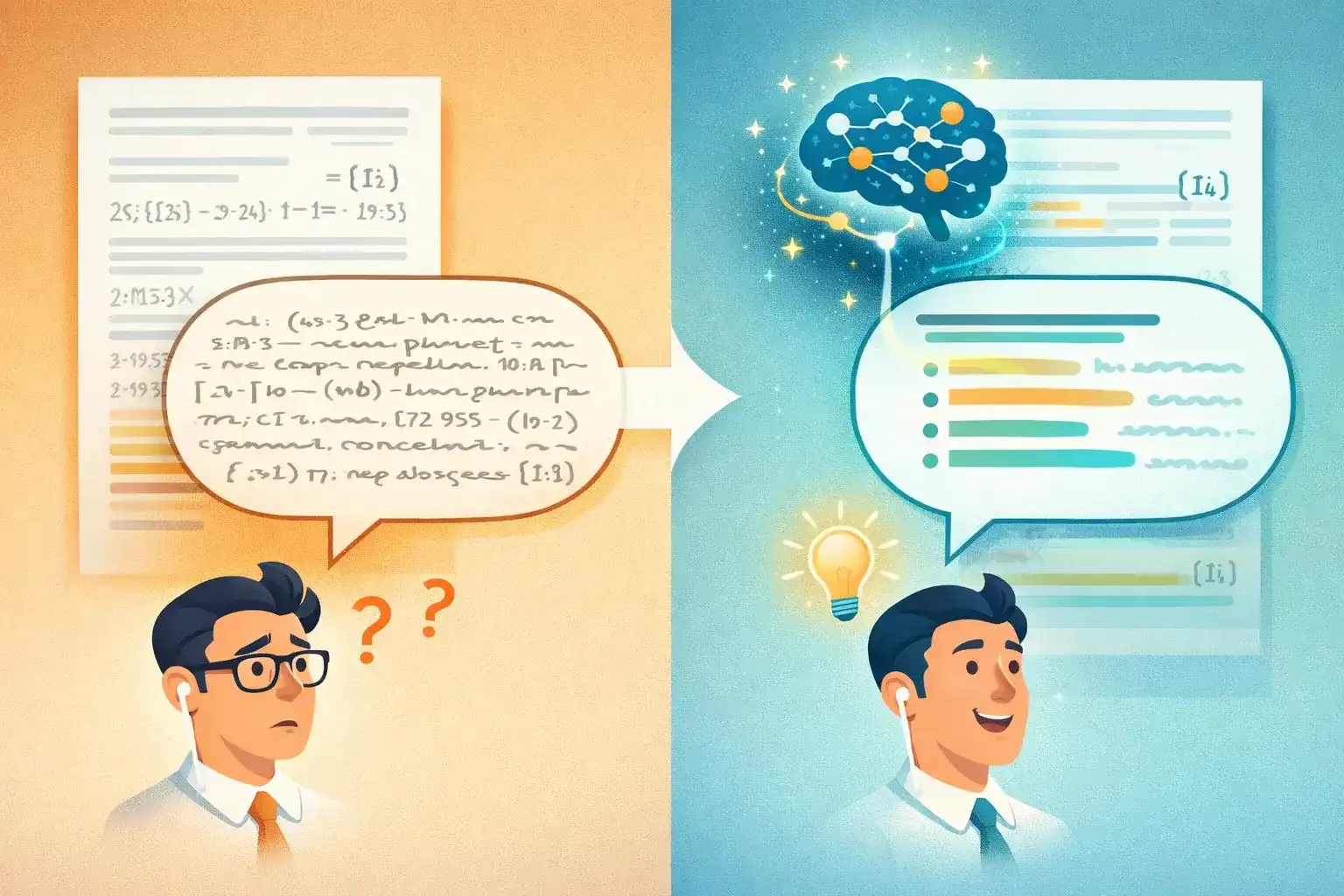
Traditional TTS has no understanding of what's important. It can't distinguish abstract from supplementary materials. It reads everything equally, communicating almost nothing efficiently.
AI Podcast Generation: A Better Approach
The alternative: AI tools that understand a paper's structure and produce a new audio explanation rather than a literal reading.
| Challenge | 🔊 TTS Approach | 🧠 AI Podcast Approach |
|---|---|---|
| Citations | Reads "(Smith et al., 2019)" | "Prior research found..." |
| Figures/tables | "See Figure 3B" | Explains the data in plain language |
| Academic jargon | Reads as-is | Defines terms in context |
| Length | Full paper (30–60 min) | 3 / 5 / 10 min (you choose) |
| Boilerplate | Reads acknowledgments, ethics, etc. | Skips to intellectual content |
| Comprehension | Low during multitasking | High during multitasking |
It Skips What Doesn't Translate
Citations, figure references, statistical notation, and boilerplate are either omitted or paraphrased. The audio focuses on intellectual content.
It Adjusts for the Medium
A well-designed AI explanation uses signposting ("The key finding here is..."), recaps ("So to summarize the methodology..."), and plain-language definitions. These are conventions of spoken explanation, not academic writing.
It Scales to Your Needs
A 3-minute summary for initial screening. A 10-minute deep dive for papers central to your research. You choose depth based on relevance.
It's Multilingual
If your field publishes significant work in German, Japanese, French, or Chinese, AI tools generate explanations in your preferred language — even from English-language papers. Valuable for international collaboration and non-native English speakers.
💡 TurboCast's Teacher style is specifically designed for academic content — a clear, structured explanation like a knowledgeable colleague walking you through a paper.
How to Convert a Research Paper with TurboCast
Step 1: Upload Your PDF
Go to /pdf-to-podcast and upload your paper. Accepts PDFs from journal websites, PubMed, arXiv, or institutional library portals.
Step 2: Choose "Teacher" Style
| Style | Academic Use Case |
|---|---|
| 🎓 Teacher | ⭐ Best for papers — explains background, methodology, findings, implications |
| 📋 Summary | Quick screening — key takeaways only |
| 🎙️ Podcast | Less formal overview for general-interest papers |
| 📖 Storyteller | Narrative framing for case studies or historical research |
Step 3: Select Your Length
| Length | Duration | Academic Use Case |
|---|---|---|
| Short | ~3 min | Initial screening — is this paper worth reading? |
| Medium | ~5 min | Solid overview with context |
| Long | ~10 min | Detailed analysis — methods, limitations, future directions |
Step 4: Choose Your Language
30+ output languages. Upload an English paper → get an explanation in your native language. Particularly powerful for non-native English speakers processing dense academic English.
Step 5: Listen, Download, or Subscribe
- 🎧 Listen in browser with speed controls
- 📥 Download MP3 for offline listening
- 📡 Private RSS feed — queue a week's worth of paper summaries in Apple Podcasts, Spotify, or any podcast app
Best Practices for Academic Paper Conversion
Start with the Abstract
Uncertain if a paper is relevant? Paste just the abstract into a 3-minute conversion. Get a sense of scope and findings in under three minutes before committing to the full PDF.
Use Length Strategically
Reserve 10-minute for papers directly central to your research — papers you'd read in full anyway. Use 3-minute summaries for the outer ring of your literature review where you need awareness, not deep familiarity.
Use the Smart Notes Feature
TurboCast generates a text summary alongside the audio. For academic work: a structured document you can annotate, cite, and share. Captures specific numbers, effect sizes, and quotations for reference.
Process Papers in Batches
Have 20 papers to screen? Upload in a batch, generate 3-minute summaries, listen through the queue over a few days. By the end, you know which 5–6 warrant full reading.
Take Advantage of Multilingual Output
A key paper published in another language? Upload the full paper, generate a detailed explanation in English. The AI handles translation and explanation simultaneously.
Tools Compared for Academic Use
TurboCast — Recommended
| Type | 🧠 AI Podcast Generator |
| Price | Free tier; from $15/month |
| Languages | 30+ |
| Best for | Deep understanding, high-volume screening |
The most complete solution for academics. Teacher style explains papers with accuracy. 30+ languages, private RSS feeds, script editing, MP3 download. Try free →
Google NotebookLM
| Type | 🧠 AI Podcast Generator |
| Price | Free |
| Languages | English only |
| Best for | Occasional English summaries |
Free two-host discussion format. Engaging but limited: English only, ~3/day, no length/style control, no download, no script editing.
Scholarcy
| Type | 📝 Text Summarizer |
| Price | Free tier; from $9.99/month |
| Languages | English |
| Best for | Structured text summaries, reference extraction |
Dedicated academic summarization — highlights key claims, methods, findings. Strong for text analysis. No audio output — useful as a complement to audio tools.
Semantic Scholar
| Type | 🔍 Research Discovery Platform |
| Price | Free |
| Languages | English |
| Best for | Paper discovery, citation analysis |
AI-generated paper summaries and citation mapping. Valuable for literature mapping. No audio generation — best used alongside an audio tool.
Academic Tool Comparison
| Tool | AI Understanding | Audio Output | Languages | Styles | RSS Feed | Free |
|---|---|---|---|---|---|---|
| TurboCast | ✅ Deep | ✅ Podcast | 30+ | 4 | ✅ | ✅ |
| NotebookLM | ✅ Partial | ✅ Conversation | English | ❌ | ❌ | ✅ |
| Scholarcy | ✅ Summaries | ❌ Text only | English | ❌ | ❌ | ✅ |
| Semantic Scholar | ✅ Summaries | ❌ Text only | English | ❌ | ❌ | ✅ |
Use Case: A Literature Review Workflow
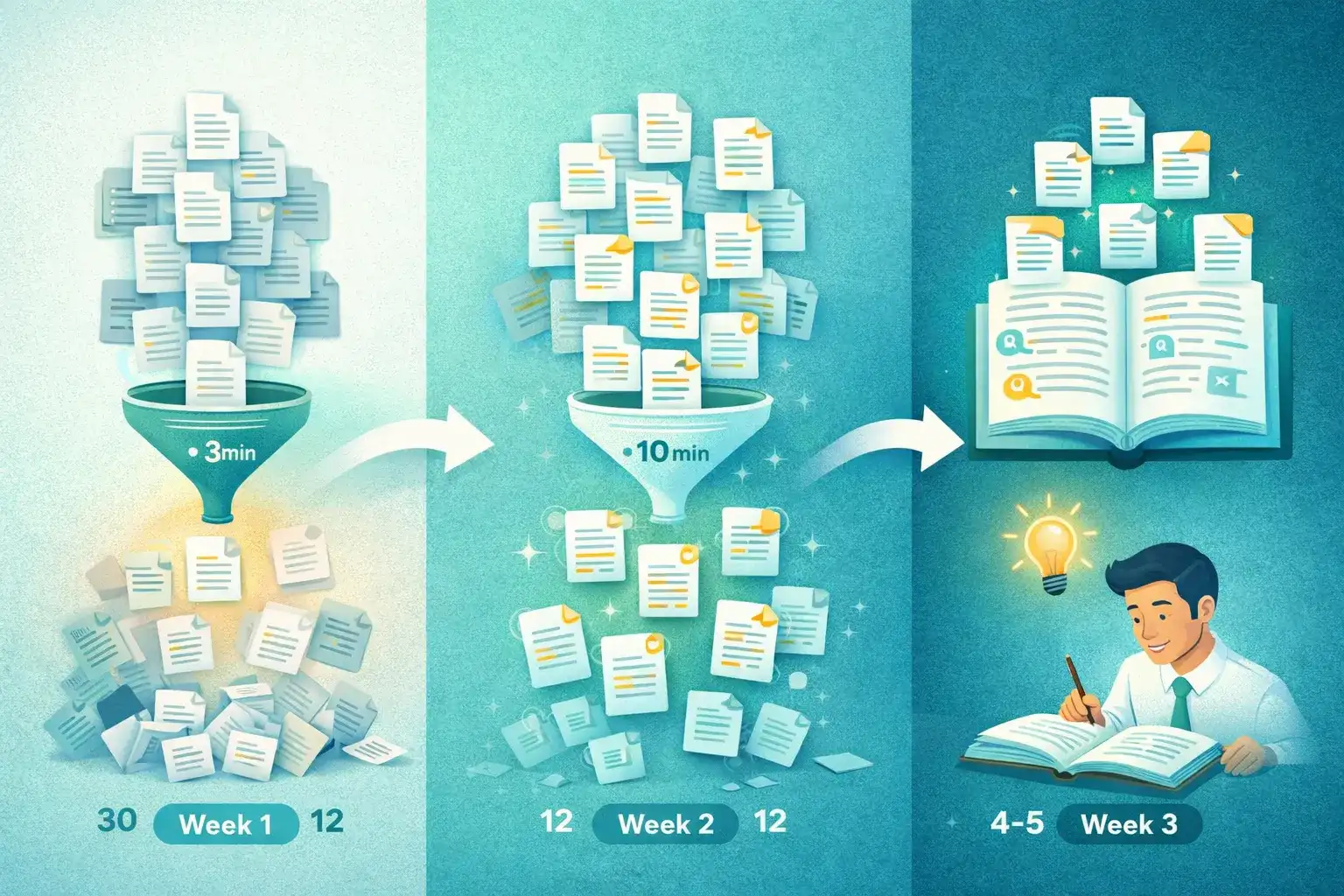
Here's a concrete workflow for processing 30 papers identified through Semantic Scholar and Google Scholar searches.
| Phase | Week | Papers | Audio Length | Goal |
|---|---|---|---|---|
| 🔍 Screening | Week 1 | 30 papers | 3 min each | Identify 12 relevant papers |
| 📖 Deep dive | Week 2 | 12 papers | 10 min each | Solid understanding + notes |
| 📝 Full reading | Week 3 | 4–5 papers | Full text | Detailed analysis for citation |
Week 1 — Initial Screening
Upload all 30 papers in batches. Generate 3-minute Teacher summaries. Listen during commutes over 3–4 days. Result: 12 clearly relevant, 18 peripheral or redundant.
Week 2 — Deep Dive
Generate 10-minute summaries for the 12 relevant papers. Listen during longer sessions — train rides, gym, walks. Read Smart Notes and annotate key points. By week's end: solid understanding and detailed notes on all 12.
Week 3 — Full Reading
Identify 4–5 papers so central to your argument they need full-text reading. You've already listened to 10-minute explanations — so the full reading is faster. You know where the important sections are.
💡 Result: 30 papers processed in 3 weeks with depth that would have taken significantly longer using only full-text reading. Audio accelerated filtering and ensured you arrived at full reading already oriented.
Frequently Asked Questions
Does AI accurately handle specialized terminology?
For most standard academic disciplines, yes. The AI correctly identifies central arguments, methodology, and key findings in scientific, legal, and financial papers. For highly specialized notation or proprietary symbols, some nuance may be simplified. Review the generated script if precision is critical.
Can I convert papers from arXiv or PubMed directly?
Download the PDF from arXiv or PubMed first, then upload to TurboCast. Most papers from these platforms are text-based PDFs that convert well. You can also paste article URLs for web-published papers using the article to podcast tool.
What about papers with heavy math or equations?
The AI summarizes mathematical content by explaining what the equations represent and what the results mean, rather than reading notation aloud. For papers where the math itself is the contribution (pure mathematics, theoretical physics), the audio will capture the conceptual framework but not reproduce derivations.
How does multilingual conversion work for academic papers?
Upload a paper in any language. TurboCast's AI understands the content regardless of source language and generates an explanation in your chosen output language. Upload a German medical paper → get an English podcast. Upload an English CS paper → get a Japanese explanation. Cross-language conversion happens in one step.
Can I use this for a systematic literature review?
Yes — the batch processing + 3-minute screening workflow is specifically designed for this. Convert large sets of papers to short summaries for efficient screening, then generate detailed versions of relevant papers. The Smart Notes text output can supplement your reference management system.
Convert Your First Research Paper
The best way to evaluate this workflow: try it with a paper you already know well. Upload something from your field, generate a 5-minute Teacher explanation, and assess how accurately it captures the core contribution.
Start at /pdf-to-podcast — the first conversion is free. No credit card required.